Run your jobsite crews without the paperwork
Track time, manage crews, and run payroll-ready data in one simple system built for construction. No more paper timesheets. No more payroll chaos. No more chasing your crews.
Built for construction. Made to be used.

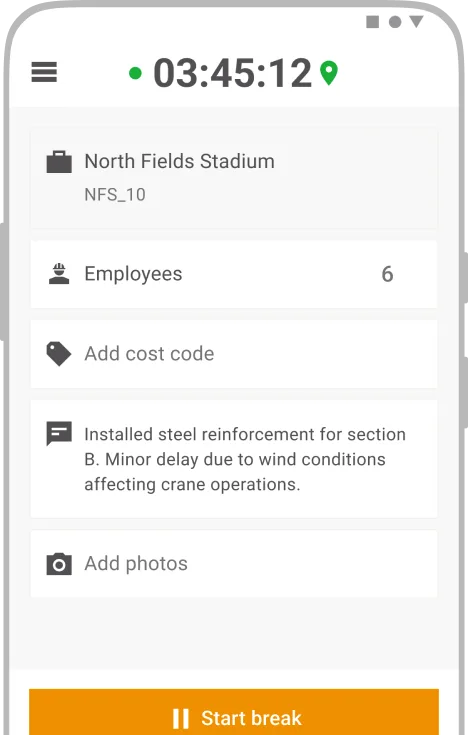
Save time on site
Log working hours on any mobile device from anywhere.

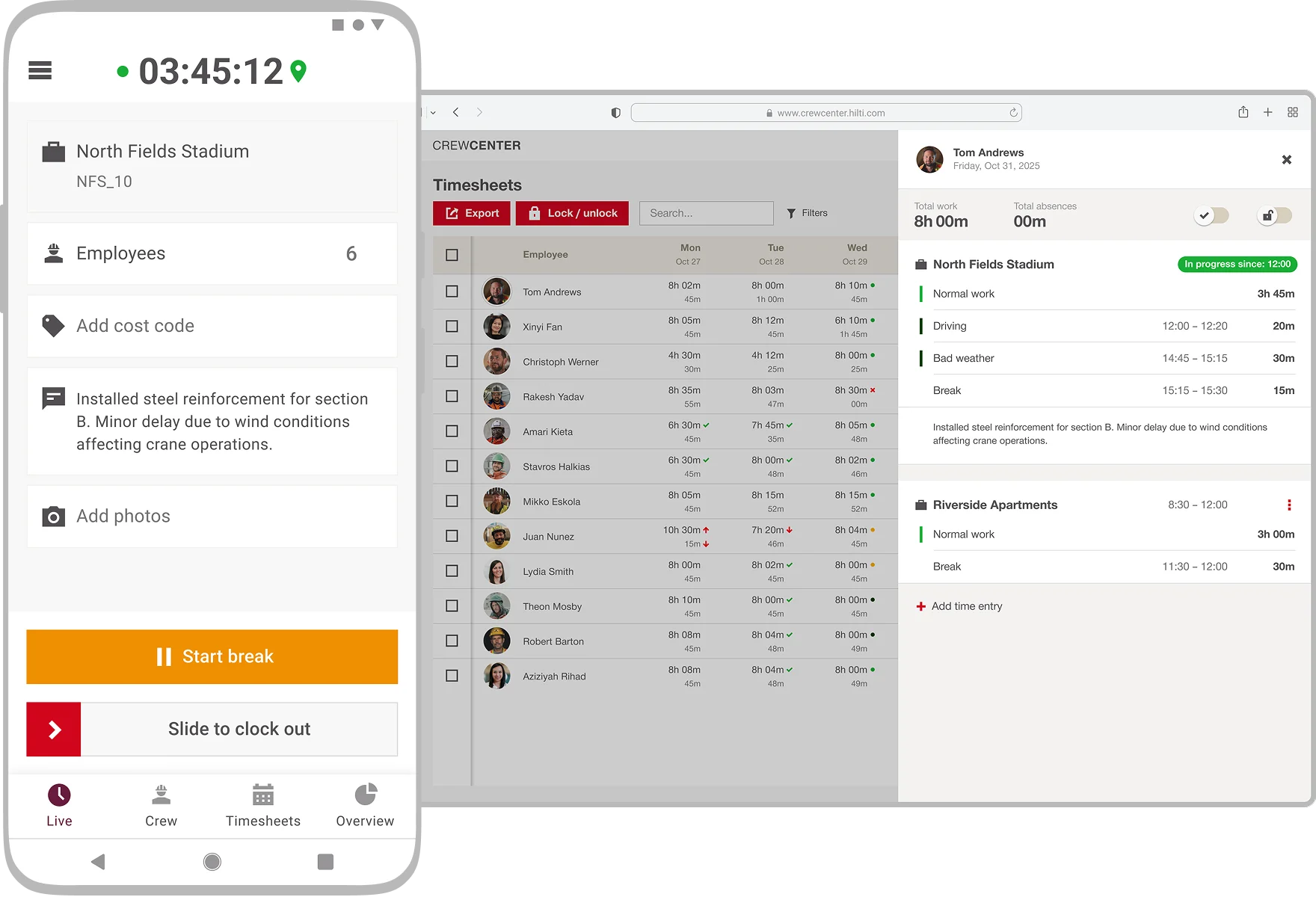
Shorten payroll process
Review, approve and export time records into any system.

Built for construction
Designed for crews on site: works offline, handles multiple projects and the office gets data immediately.
Made by Hilti, built for construction
CrewCenter replaces paper, Excel, and clunky tools with one simple workflow from field to office.
Track crew hours with ease
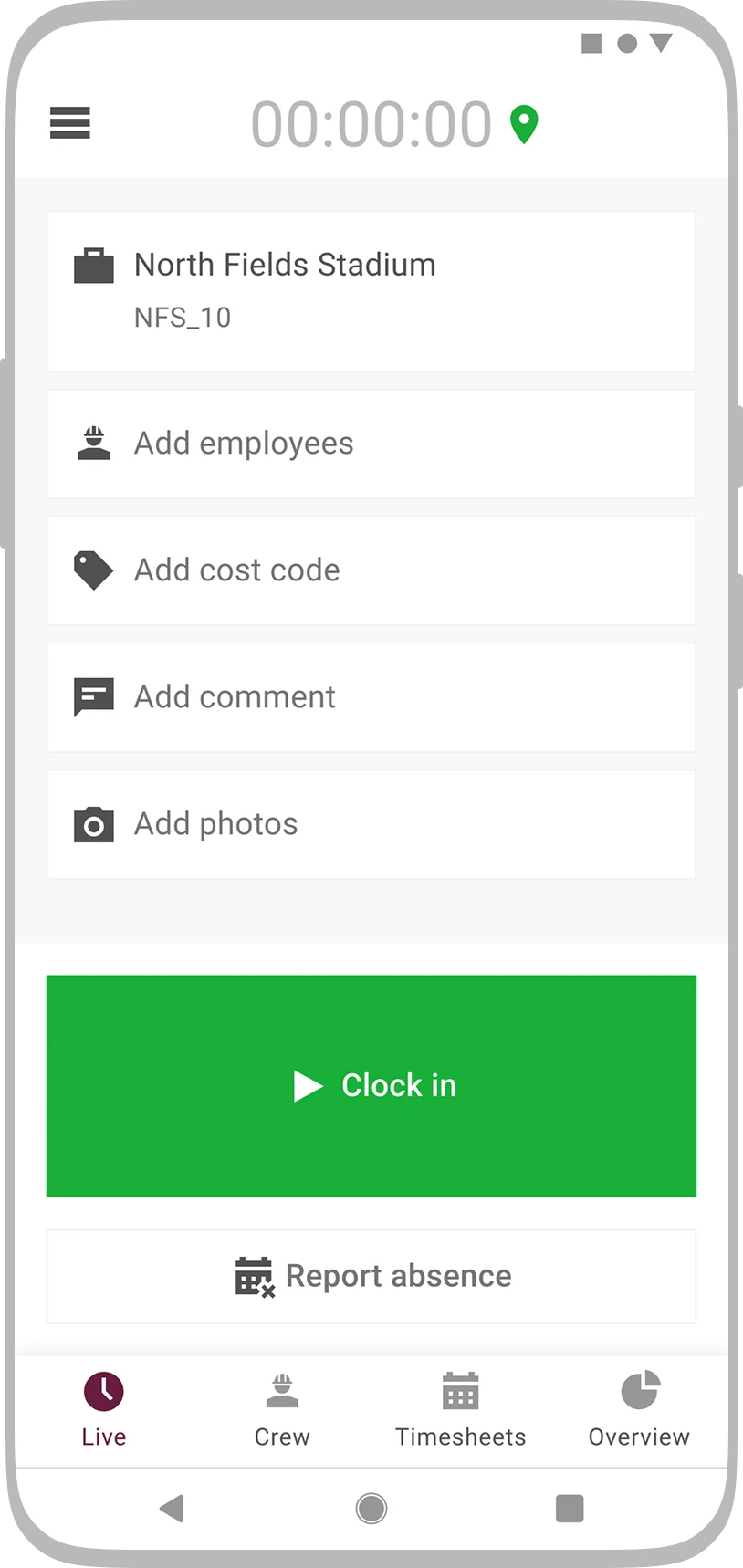
Mobile time tracking for construction teamsLog work hours, breaks and site attendance from any jobsite, field or office. CrewCenter’s construction time tracking software lets crews and supervisors record time by project or cost code, ensuring accurate payroll, compliance, and less admin. Ready to simplify your crew’s time tracking?
Manage timesheets, minimize hassle
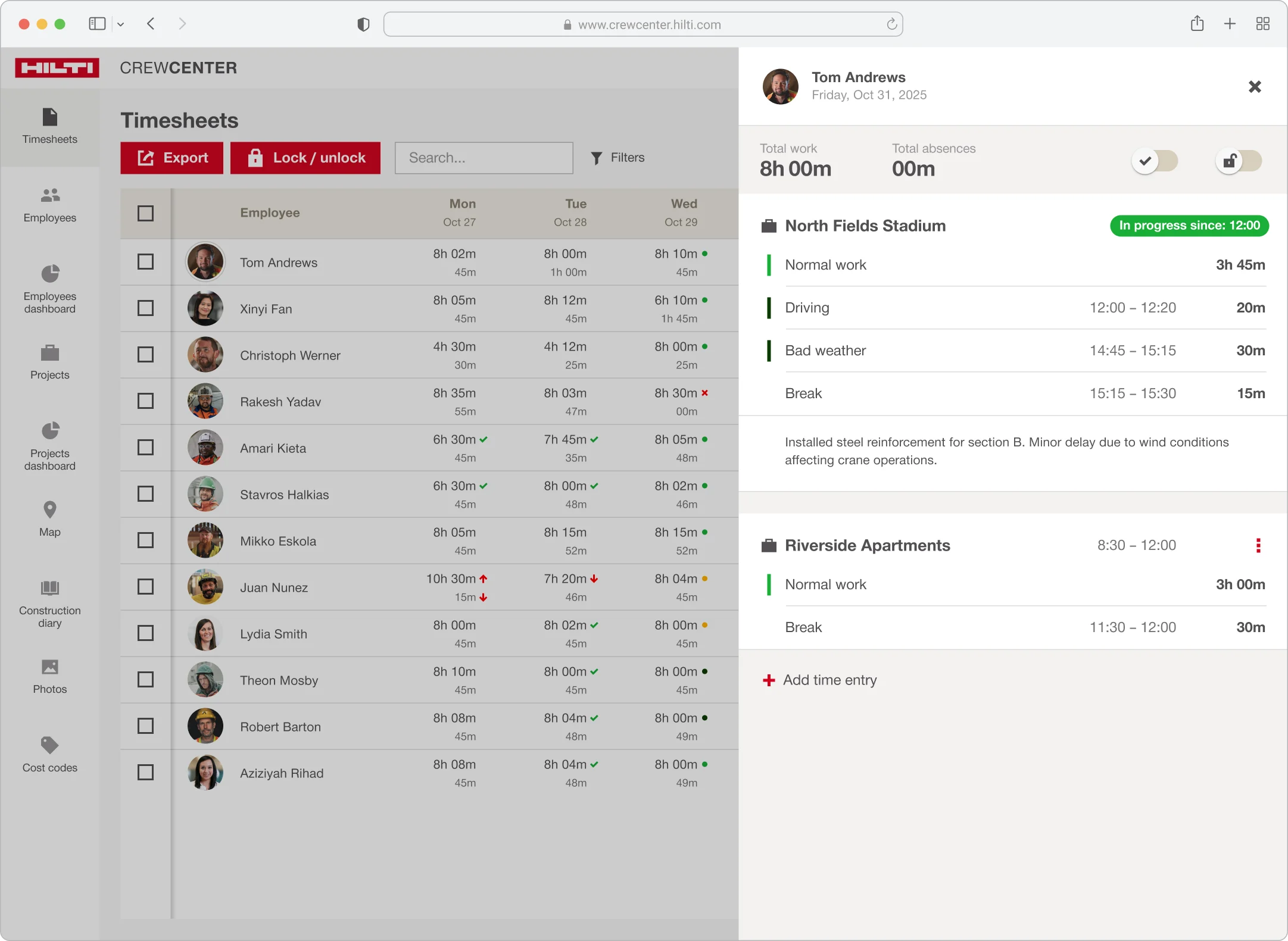
Fast, reliable digital timesheet approvalReview and approve timesheets on any device, whether you’re on site or in the trailer. CrewCenter’s digital workflow reduces paperwork, prevents errors, and keeps your construction projects on schedule. Experience hassle-free timesheet management today.
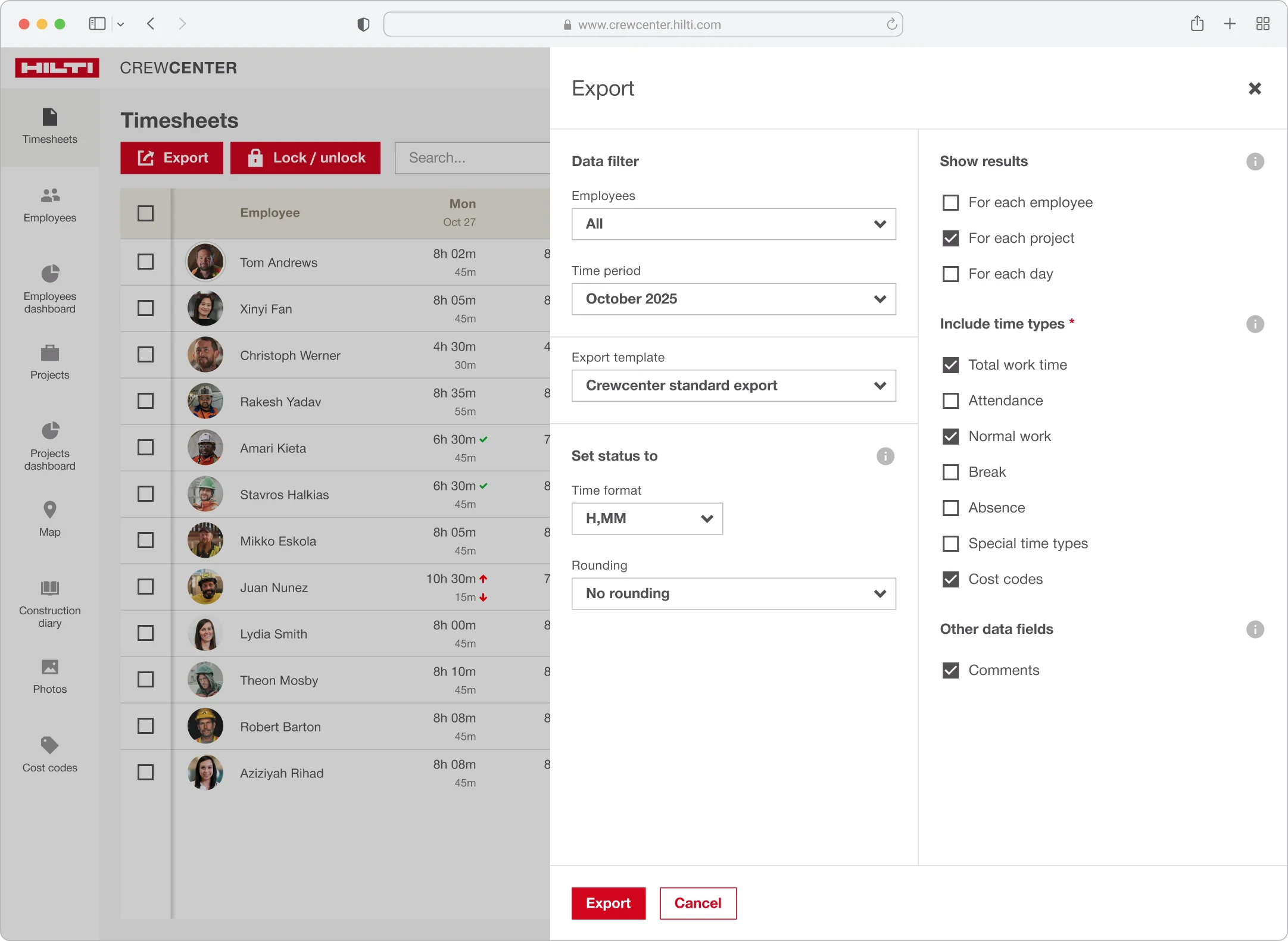
Export data for payroll & reporting
Effortless integration with construction payroll systemsExport labor data in all major formats for payroll, union, or client reporting. CrewCenter connects with your accounting tools, eliminating manual entry and reducing costly mistakes. Connect your jobsite to your back office in one click.
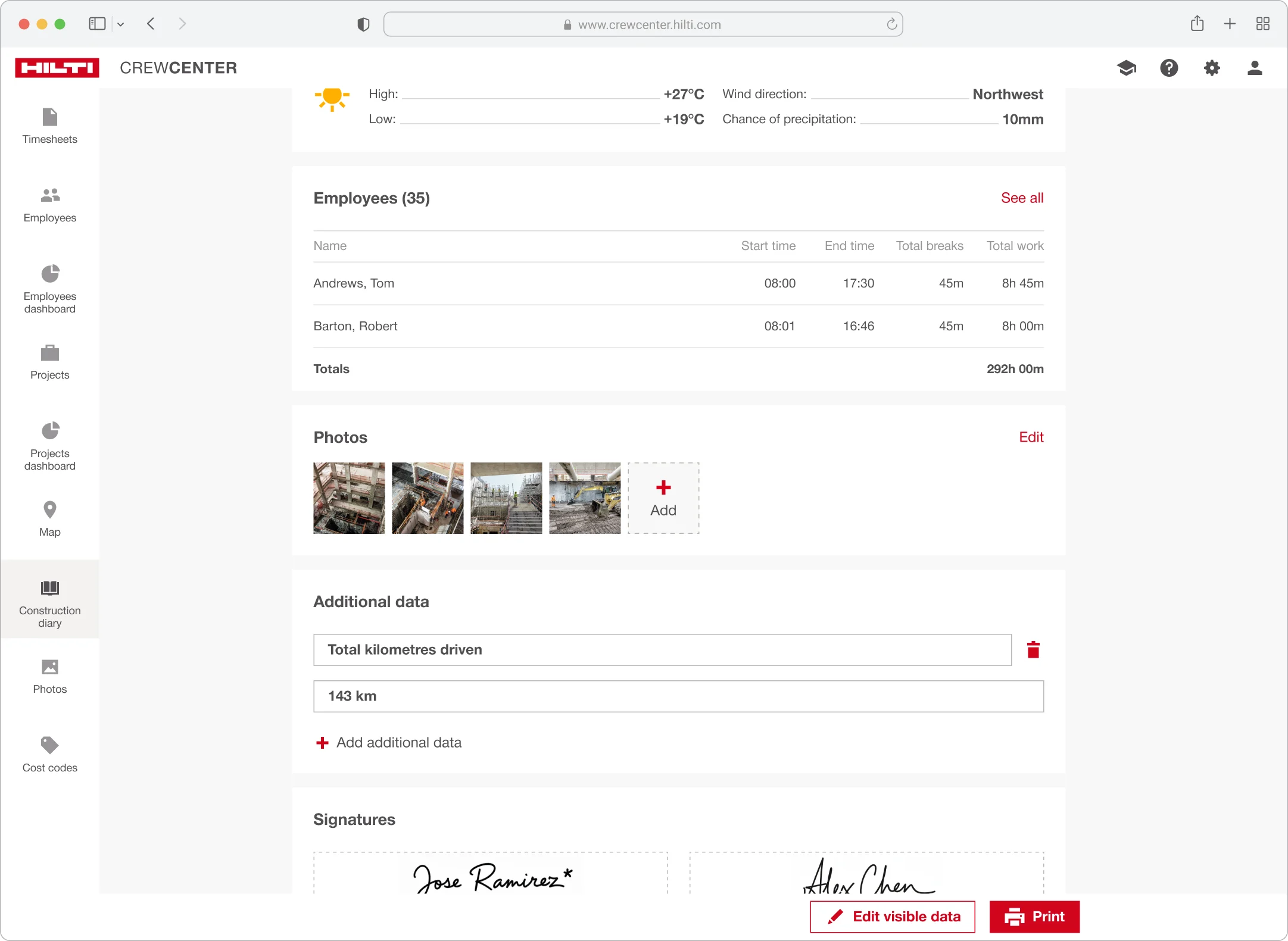
Daily site reports made easy
Capture site activity, weather, and incidents instantlyDocument daily progress, crew hours, and site events with just a few taps. CrewCenter’s construction diary automatically generates professional reports for stakeholders and keeps your projects audit-ready for sign of on the go. Keep every project transparent and compliant.
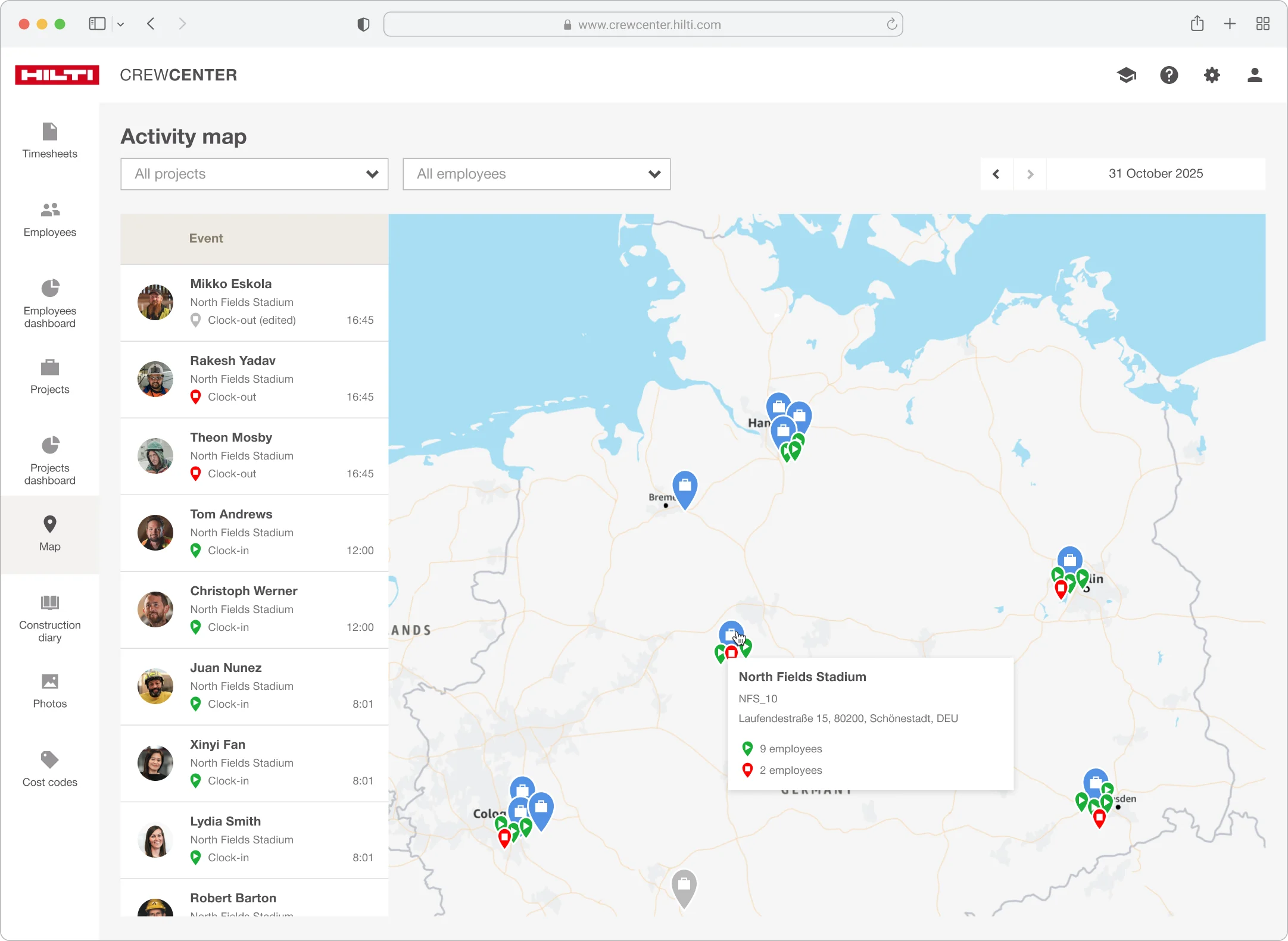
Real-time jobsite visibility and reporting
See who’s on-site and where, at a glanceCrewCenter’s geolocation snapshot at clock-in and -out give managers instant visibility into workforce locations. Improve safety, accountability, and project oversight with real-time jobsite maps. Deploy labour effectively, wherever you are.
“Before we spent hours each week on double entry of timecard data and struggled to get foremen to accurately track cost codes.”

Daniel Sekigawa, Foreman Coastal Construction Company Inc.
“As time goes on, some things simply become outdated, such as filling out timesheets by hand.”

Helmut Mayerle, General Manager, Mayerle Bau
FAQs
What is CrewCenter and why should my business use it?
CrewCenter is a digital time-tracking solution for construction sites. It helps simplify recording working hours and reduce paperwork, providing accurate data for payroll and job costing. With CrewCenter, you gain transparency and efficiency in workforce management, all in one platform
How can I track working hours with CrewCenter?
CrewCenter offers flexible options to fit your workflow:
- Live Mode (Start/Stop): Employees clock in and out in real time.
- Post Mode: Hours are entered after the shift ends.
- Supervisor Entry: Foremen can record time for their teams, live or after the fact.
Can I export data from CrewCenter into other systems?
Yes. CrewCenter includes an export feature that lets you download data in Excel or CSV formats. This makes it easy to integrate with payroll, accounting, or ERP systems commonly used in your region.
What devices can I use with CrewCenter?
CrewCenter works wherever you do:
- Mobile App: for Android and iOS (available in Google Play and Apple App Store)
- Web Interface: accessible via PC, Mac, or tablet
Can I import existing data like employee lists or projects?
Absolutely. CrewCenter offers a bulk import feature to help you get started quickly by uploading existing employees or project data.
What additional features make CrewCenter stand out?
- Offline Mode for jobsites without network coverage
- Absence Panning
- Custom time types (e.g., travel time, standby)
- Cost codes
- Daily reports
- Optional GPS location tracking for better transparency